
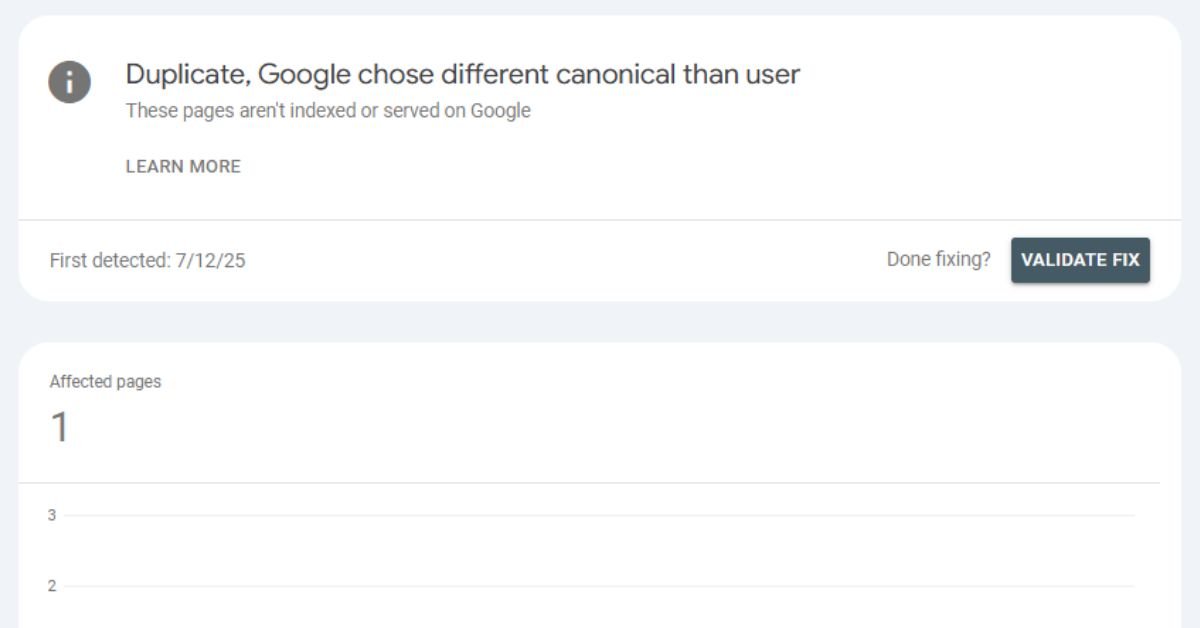
The duplicate without user-selected canonical URL issue is one of the most common indexing problems in Google Search Console. It occurs when Google finds multiple versions of the same content but you have not specified which version should be treated as the main (canonical) page.
If not fixed properly, this issue can dilute ranking signals, waste crawl budget, and prevent your important pages from getting indexed. This guide explains the exact reason behind this error, how Google chooses canonical URLs, and the correct step-by-step method to fix it permanently.
What Does “Duplicate Without User-Selected Canonical URL” Mean?
When Google crawls your website and detects similar or identical content across multiple URLs, it must decide which one to index. If you do not define a canonical URL, Google selects one on its own.
In Google Search Console, this status means:
- Multiple pages have similar or identical content
- No canonical tag is defined by you
- Google selected a different URL as canonical
- The affected page is excluded from indexing
This is different from “Duplicate, Google chose different canonical than user” because here, you have not defined any canonical at all.
Why This Issue Happens
Several technical and structural factors can trigger duplicate without user-selected canonical URL errors.
1. HTTP vs HTTPS Versions
Both versions may be accessible:
- http://example.com
- https://example.com
If not properly redirected, Google sees them as duplicates.
2. WWW vs Non-WWW
- www.example.com
- example.com
Without proper redirection, both versions compete.
3. URL Parameters
Example:
- example.com/product
- example.com/product?ref=ads
Tracking parameters create duplicate content issues.
4. Pagination & Filter Pages
Ecommerce and directory sites often generate:
- /shoes
- /shoes?color=black
- /shoes?size=9
These pages often contain very similar content.
5. CMS-Generated Duplicate URLs
Platforms like WordPress may generate:
- Category pages
- Tag pages
- Attachment pages
If not optimized, these cause duplicate content problems.
How Google Chooses a Canonical URL
When you don’t specify a canonical, Google decides based on:
- Internal linking structure
- Backlink profile
- HTTPS preference
- Sitemap signals
- Page authority
- Redirect behavior
Google’s selection may not match your SEO goals. That’s why defining a canonical tag is critical.
How to Fix Duplicate Without User-Selected Canonical URL (Step-by-Step)
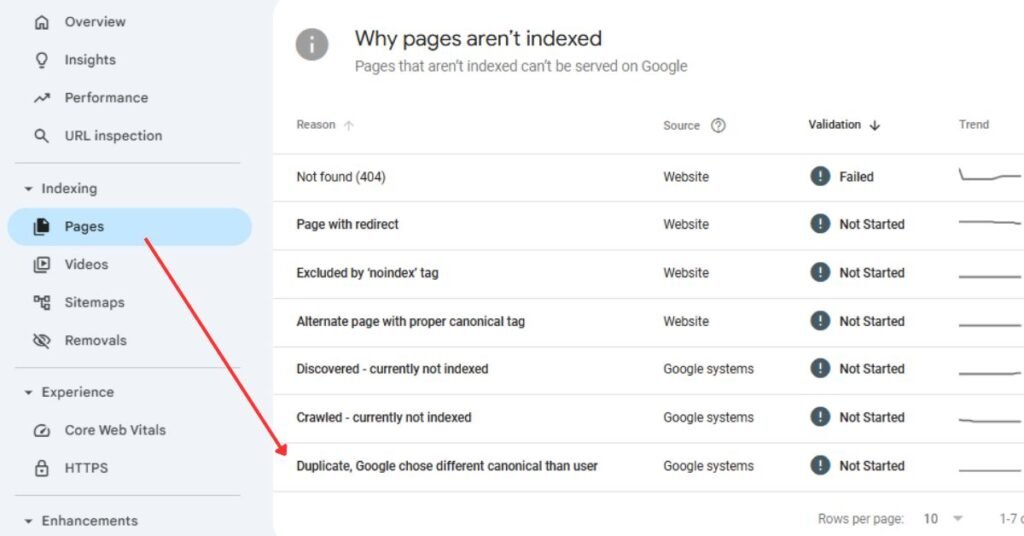
Step 1: Identify Affected Pages
Go to:
Google Search Console → Indexing → Pages → Excluded → Duplicate without user-selected canonical
Export the list and analyze patterns:
- Are they parameter URLs?
- HTTP versions?
- Filter pages?
- Tag pages?
Understanding the root cause prevents incorrect fixes.
Step 2: Add Canonical Tags
Add a canonical tag in the <head> section of duplicate pages:
<link rel=“canonical” href=“https://example.com/preferred-page/” />
Best practices:
- Use absolute URLs
- Self-reference canonical on main pages
- Ensure canonical URL returns 200 status
- Avoid canonical chains
If using WordPress, SEO plugins like Rank Math or Yoast allow canonical configuration easily.
Step 3: Implement 301 Redirects (When Necessary)
If duplicate pages should not exist at all, use 301 redirects instead of canonical tags.
Use redirects for:
- HTTP to HTTPS
- WWW to non-WWW
- Trailing slash variations
- Old URLs
Redirects consolidate link equity and remove duplication permanently.
Step 4: Fix Internal Linking
Internal links send strong canonical signals.
Ensure:
- All internal links point to the preferred version
- Navigation menus use canonical URLs
- Sitemap contains only canonical URLs
Avoid linking to parameter-based URLs internally.
Step 5: Optimize Sitemap
Your XML sitemap should:
- Include only canonical URLs
- Exclude duplicate versions
- Exclude parameter URLs
Submitting a clean sitemap reinforces canonical signals.
Step 6: Use Noindex for Low-Value Duplicates
For pages like:
- Filter combinations
- Tag archives
- Thin category pages
Use:
<meta name=“robots” content=“noindex, follow”>
This keeps link equity flowing while preventing indexing.
Example Scenarios
Example 1: Blog Post Duplicate
URLs:
- example.com/blog/seo-tips
- example.com/blog/seo-tips?utm_source=facebook
Fix:
- Add canonical pointing to clean URL
- Remove parameter URLs from sitemap
- Avoid linking to UTM URLs internally
Example 2: E-commerce Filter Page
URLs:
- example.com/shoes
- example.com/shoes?color=red
Fix:
- Canonical all filtered versions to main category
- Or noindex filter pages
Example 3: HTTP & HTTPS Conflict
URLs:
- http://example.com
- https://example.com
Fix:
- Force HTTPS with 301 redirect
- Update internal links
- Resubmit sitemap
Canonical Tag vs 301 Redirect (Comparison)
| Canonical Tag | 301 Redirect |
|---|---|
| Keeps both URLs accessible | Removes duplicate permanently |
| Best for parameter pages | Best for protocol/domain fixes |
| Consolidates ranking signals | Fully transfers link equity |
| Used when both URLs must exist | Used when one URL should not exist |
Choosing the correct method depends on whether the duplicate page should remain accessible.
Expert SEO Tips
- Always use self-referencing canonicals
- Maintain consistent URL structure
- Avoid mixing trailing slash and non-trailing slash URLs
- Use server-side redirects instead of JavaScript redirects
- Regularly audit duplicate content with Screaming Frog
- Monitor crawl stats in Search Console
Consistent technical SEO prevents recurring canonical errors.
Common Mistakes to Avoid
- Adding canonical to non-indexable pages
- Using relative URLs in canonical tags
- Creating canonical loops
- Pointing canonical to redirected pages
- Blocking canonical pages via robots.txt
- Leaving parameter URLs in sitemap
Small technical mistakes can override your canonical strategy.
SEO Beginners People also ask
1. Is duplicate without user-selected canonical URL harmful?
Yes. It can prevent important pages from being indexed and dilute ranking signals.
2. Should I always use canonical instead of redirect?
No. Use canonical when duplicate pages must exist. Use 301 redirect when duplicates should be removed permanently.
3. How long does Google take to fix canonical issues?
After implementation, it may take a few days to several weeks depending on crawl frequency.
4. Can sitemap alone fix canonical problems?
No. Sitemap supports canonical signals but does not replace canonical tags or redirects.
5. Does this issue affect rankings directly?
Indirectly, yes. Duplicate URLs split authority, reduce crawl efficiency, and may lower search visibility.