
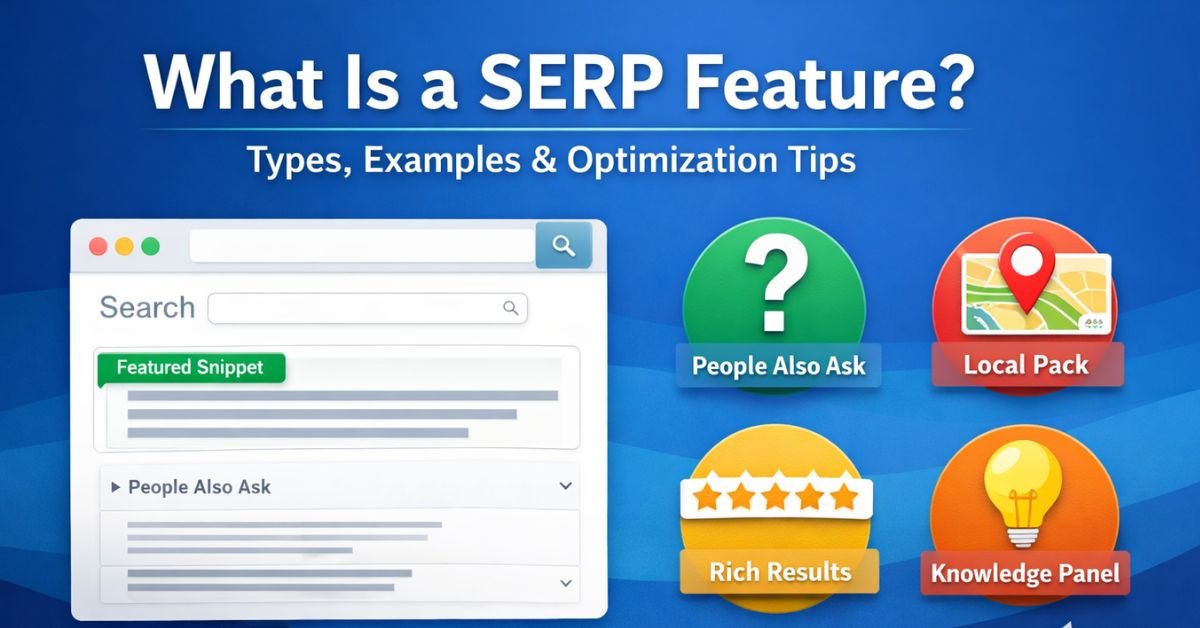
If you search anything on Google today, you will notice that results are no longer just blue links. You see featured snippets, People Also Ask boxes, maps, images, reviews, and even instant answers. These enhanced search elements are called SERP features.
Understanding what is a SERP feature is essential for modern SEO. Ranking #1 is no longer the only goal. Visibility inside SERP features can drive higher click-through rates, brand authority, and sometimes even zero-click exposure. This guide explains about what is SERP features in depth, their types, how they work, and how to optimize for them effectively.
What Is A SERP Feature?
A SERP feature (Search Engine Results Page feature) is any enhanced result on Google that goes beyond the traditional organic blue link listing. These features are designed to improve user experience by providing quick answers, structured information, or interactive elements directly on the search results page.
Unlike standard organic results, SERP features often include:
- Visual elements (images, stars, maps)
- Structured data
- Extracted content snippets
- Direct answers
- Interactive dropdowns
Google uses algorithms, structured data, and user intent signals to determine when to show these features.
Why SERP Features Matter in SEO
SERP features significantly impact search behavior. They influence click-through rate (CTR), brand exposure, and organic traffic distribution.
1. Increased Visibility
Many SERP features appear above traditional organic results. Featured snippets, for example, often occupy “position zero,” pushing other results downward.
2. Higher Authority Perception
When your content appears in a snippet or knowledge panel, users perceive your brand as authoritative.
3. Zero-Click Searches
Some SERP features answer the query directly. Even if users don’t click, your brand visibility increases.
4. Improved CTR
Rich results with stars, images, or FAQs typically attract more attention than plain blue links.
Types of SERP Features
There are many types of SERP features. Each serves a different search intent.
1. Featured Snippet
A featured snippet is a short answer extracted from a webpage and displayed at the top of search results.
Types of Featured Snippets:
- Paragraph snippet
- List snippet
- Table snippet
- Video snippet
Image placement suggestion: Insert a screenshot of a paragraph featured snippet example here.
These appear mostly for informational queries like definitions or “how to” searches.
2. People Also Ask (PAA)
The People Also Ask box contains related questions that expand when clicked. Each answer links to a source webpage.
This feature reflects semantic search and related keyword clustering. Optimizing FAQ sections increases chances of appearing here.
Image placement suggestion: Screenshot of a People Also Ask box.
3. Local Pack (Map Pack)
The Local Pack displays a map and three local business listings for location-based searches.
Example queries:
- “Digital marketing agency near me”
- “Best SEO company in Dadri”
Local SEO optimization, Google Business Profile, and reviews influence this feature.
4. Knowledge Panel
A knowledge panel appears on the right side of desktop search results. It displays factual information about a brand, person, or entity.
It pulls data from:
- Google’s Knowledge Graph
- Wikipedia
- Authoritative databases
Brands benefit from entity optimization and structured data.
5. Image Pack
An image pack shows multiple image thumbnails within search results.
Optimizing images with:
- Descriptive alt text
- File names
- Schema markup
can increase visibility in this SERP feature.
6. Rich Snippets (Rich Results)
Rich snippets enhance organic listings with additional information such as:
- Star ratings
- Reviews
- FAQs
- Product pricing
- Breadcrumbs
These require structured data (Schema Markup).
Image placement suggestion: Screenshot of a rich snippet with star ratings.
7. Top Stories
This SERP feature displays news articles for trending or current topics.
It prioritizes:
- Fresh content
- Authoritative publishers
- Structured news schema
8. Sitelinks
Sitelinks appear below a primary search result and show internal pages.
They improve navigation and increase SERP space domination.
How SERP Features Work
Google determines which SERP features to display based on:
- Search intent (informational, transactional, navigational, local)
- Query structure
- Content quality
- Structured data implementation
- Authority and relevance
For example:
- “What is SEO?” → Featured snippet likely
- “Buy iPhone 15” → Shopping results
- “Restaurants near me” → Local pack
Understanding intent alignment is critical for ranking in SERP features.
How To Optimize For SERP Features
Optimizing for SERP features requires strategy beyond basic on-page SEO.
1. Target Question-Based Keywords
Use “what,” “how,” “why,” and “best” queries.
2. Provide Direct Answers
Answer the question clearly within 40–60 words before elaborating.
3. Use Structured Data
Implement schema markup for:
- FAQs
- Reviews
- Products
- Articles
- Local business
4. Structure Content Properly
Use:
- H2 and H3 headings
- Bullet points
- Tables
- Clear formatting
5. Improve Topical Authority
Cover related keyword clusters comprehensively.
Examples of SERP Features in Action
Example 1: Informational Query
Search: “What is a SERP feature?”
Result: Featured snippet + People Also Ask
Example 2: Product Query
Search: “Best laptops under 50000”
Result: Shopping ads + review snippets + comparison articles
Example 3: Local Intent Query
Search: “SEO agency in Dadri”
Result: Local pack + reviews + map
Each example shows how Google matches SERP features to search intent.
Expert Tips for Winning SERP Features
- Analyze existing SERP layout before creating content.
- Use tools to identify snippet opportunities.
- Format answers in concise, structured blocks.
- Optimize for long-tail keywords.
- Add FAQ schema to informational articles.
- Improve page load speed and mobile usability.
SERP feature optimization is both technical and content-driven.
Common Mistakes to Avoid
- Writing long introductions without answering the query early
- Ignoring structured data
- Targeting high-volume keywords without intent matching
- Poor formatting without headers or lists
- Not updating outdated content
Many websites fail to win SERP features because they focus only on ranking position instead of result enhancement.
FAQs About SERP Features
1. What is a SERP feature in SEO?
A SERP feature is any enhanced element on a search results page beyond traditional organic listings, such as featured snippets, local packs, or rich results.
2. Are SERP features different from organic results?
Yes. Organic results are standard blue links, while SERP features include visual or structured enhancements.
3. How do I rank in a featured snippet?
Provide concise answers, use structured headings, and target question-based keywords.
4. Do SERP features reduce organic traffic?
Sometimes they cause zero-click searches, but they also increase brand visibility and authority.
5. What tools help track SERP features?
SEO tools like SEMrush, Ahrefs, and Google Search Console help monitor featured snippets and other SERP features.